Thrown is part of a final project from 4 subjects that unified to create a final project: Character Behavior, Character Appearance, and Level Development and Programming and UI Development. The objective was to create a game that combined all the knowledge learned in the subjects. Personally, I wanted to focus on Character Behavior and Character Appearance -Rigging, Materials, Animation- that was the most interesting subjects for me since I never had the opportunity to work with them before and they are the parts of the game I’ll be starring in this portfolio entry.
Also, I wanted to create a game that has complex systems to challenge myself rather than focusing on the player experience, since it was an academic project and nobody was going to play it.
All assets were extracted from the internet and used for educational purposes.
I was responsible for:
- Implemented a complete third-person character controller with locomotion and state management
- Set up a complex animation system using Blend Spaces, Animation Layers, and State Machines
- Developed AI behaviors for two distinct enemy types using Behavior Trees and EQS
- Handled character rigging and retargeting involved in the animation pipeline
- Programmed the core gameplay mechanics, including the physics-based throwing system
Concept and idea
Thrown it’s a third person action-adventure mini-game where the player controls a character set in a island. The game has a simple objective, fill a magic pillar with 12 special gems. These gems are thrown to the pillar by the player and the player can get them from defeating the aliens.
Player can throw objects by 2 different parabolas, a short but high parabola and a long but low parabola. The player can throw objects by holding the left and right click button to control the strength of the throw.
There are also different types of objects that can be thrown, each one with different properties and behavior. Some objects teleport you, other explode, some give you a boost, others make fatal damage and so on.
Also, I wanted to make something different in the inventory system, so I created a system where the player can’t decide what to throw, as the next object to be thrown is decided randomly (with a shift pocket) to make the player adapt to the game.
For the level design, I used Unreal’s landscape and foliage tools.
Character Appearance
The characters appearance follows the default PBR workflow with the external textures.
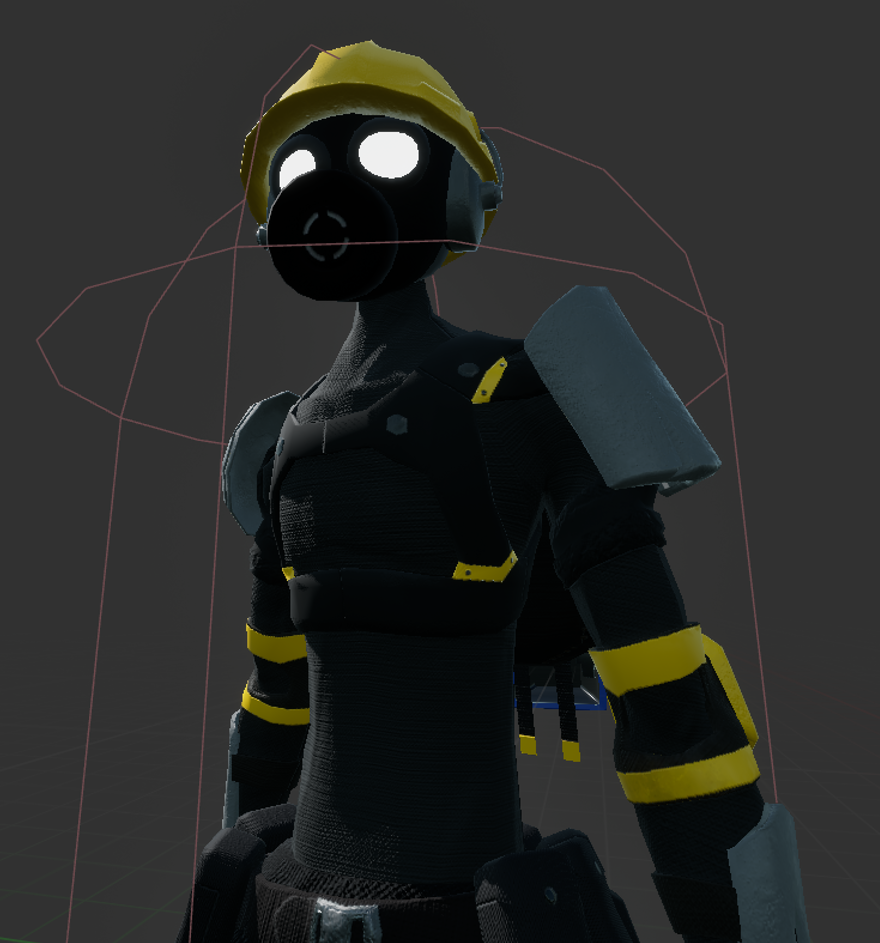
The main character was extracted from [Sketchfab]https://sketchfab.com/3d-models/raw-metal-scavenger-287a4776f6d04bd1979617b4a9d4c3dc). This character was already rigged so I did a retarget process to match the rig of the character (that followed a Fortnite-like template) to the Unreal base rig. The alien was also extracted from Sketchfab.
For the alien, I had to use AccuRig to generate the rig and then retarget it to the Unreal base rig. I had to modify the neck of the original mesh to make AccuRig recognize it as a humanoid neck. Since I had 2 kinds of enemies, I applied a tint to the alien to make it look different.
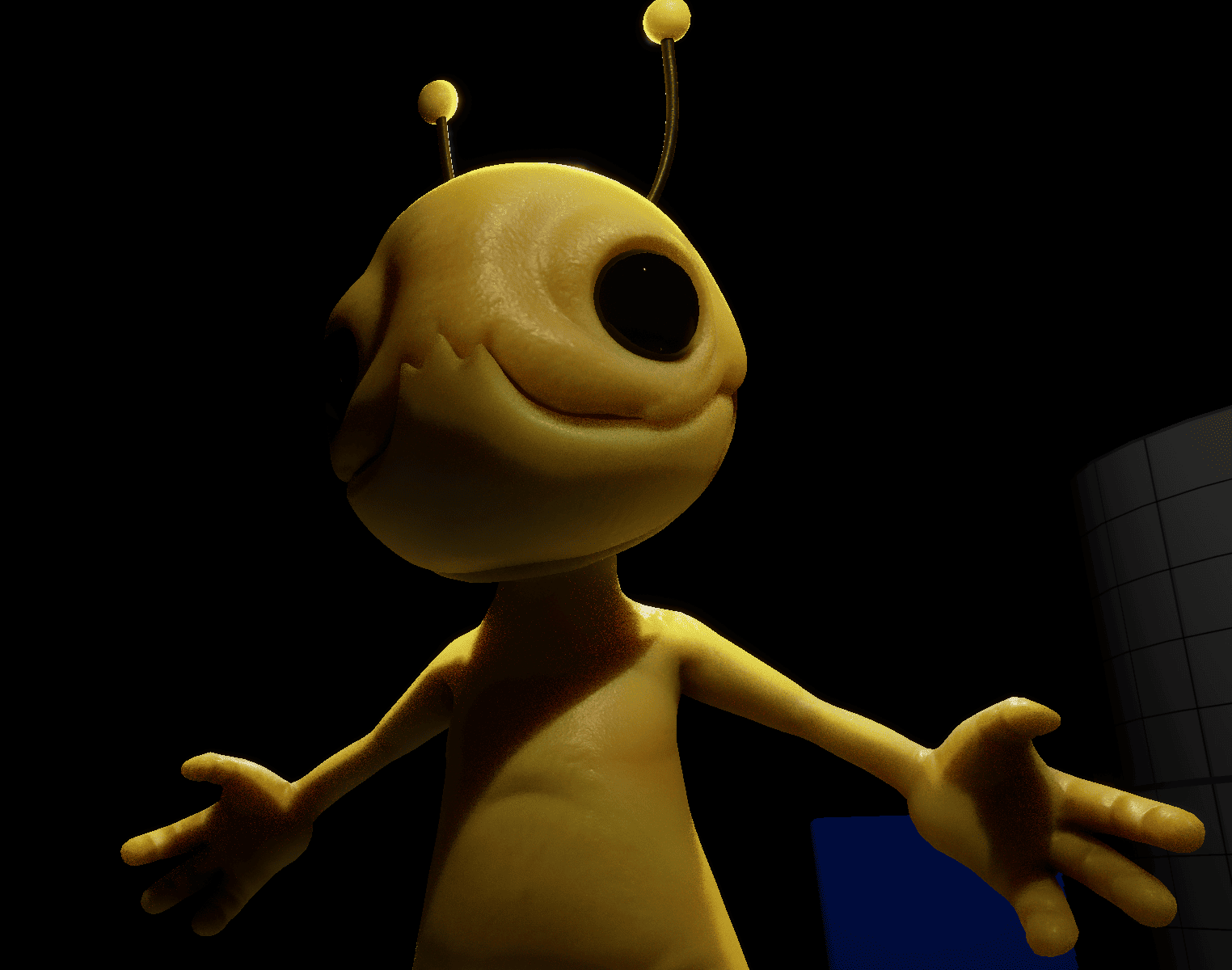
As seen in the image, the alien also has a sub-surface scattering effect implemented.
Character Behavior
Animation & Rigging
Since this project relied on external assets I decided to unify all the rigging with a retarget pipeline and work with the base rig of Unreal’s mannequin for all animations. This way I could use default animations and compatibility with the engine was easier and scalable in other projects.
Animations are a mix of mixamo and Unreal’s Animation Sample Project animations.
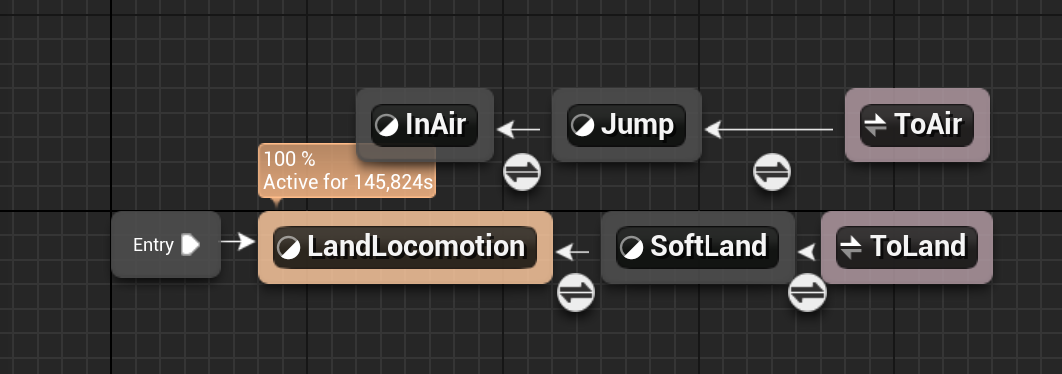
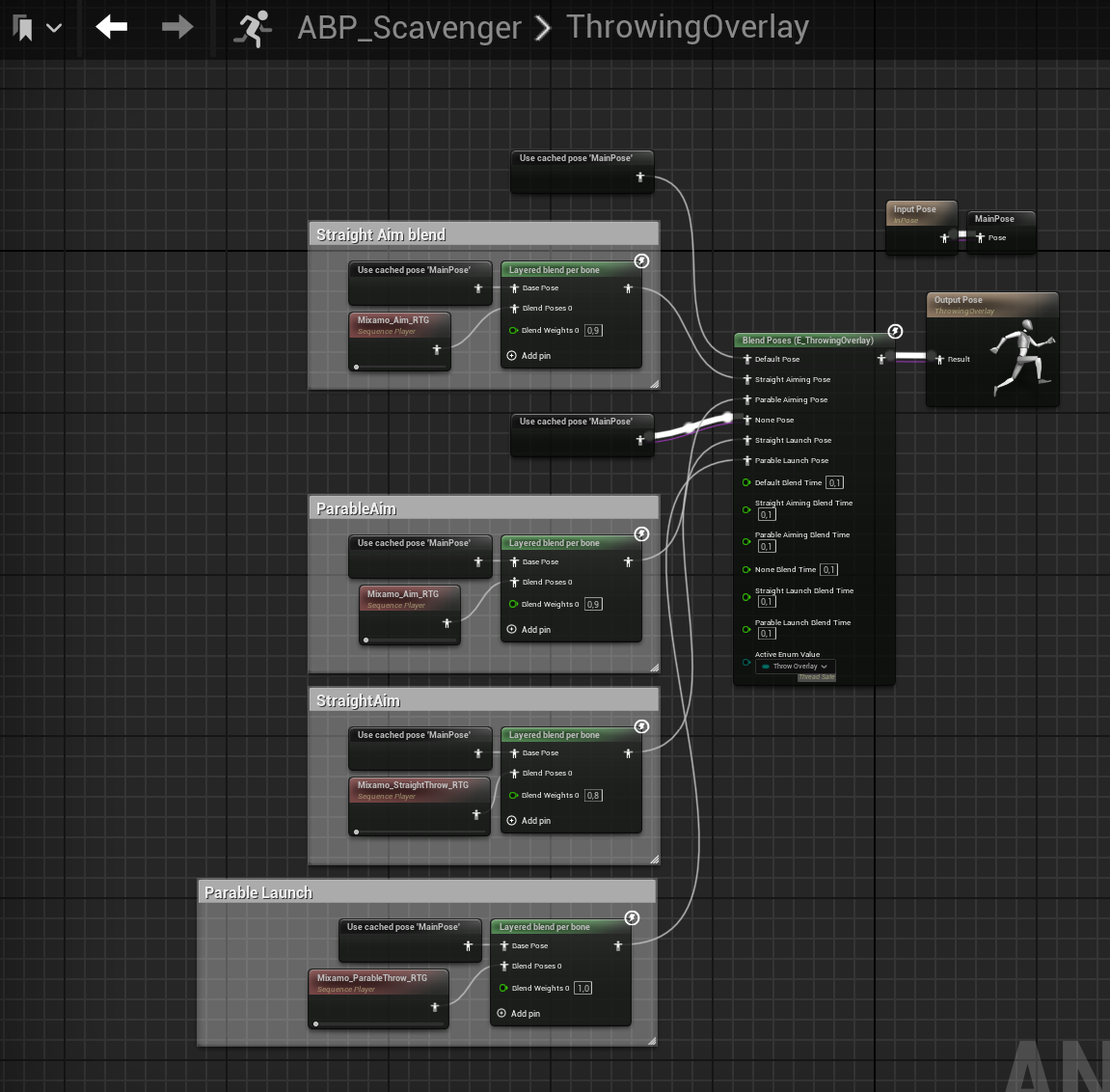
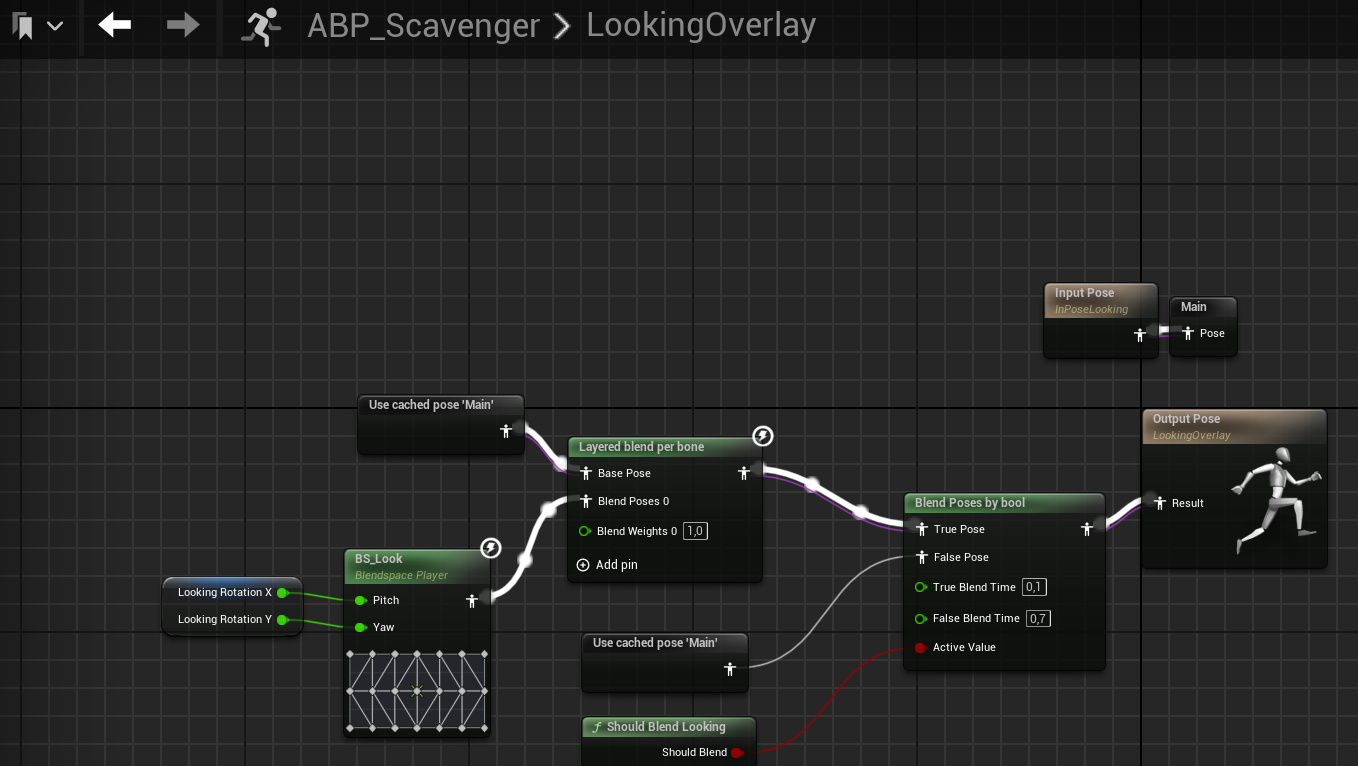
All animations states are triggered by blend spaces, except falling loop. I implemented a full locomotion system and animation layering for throwing and looking.
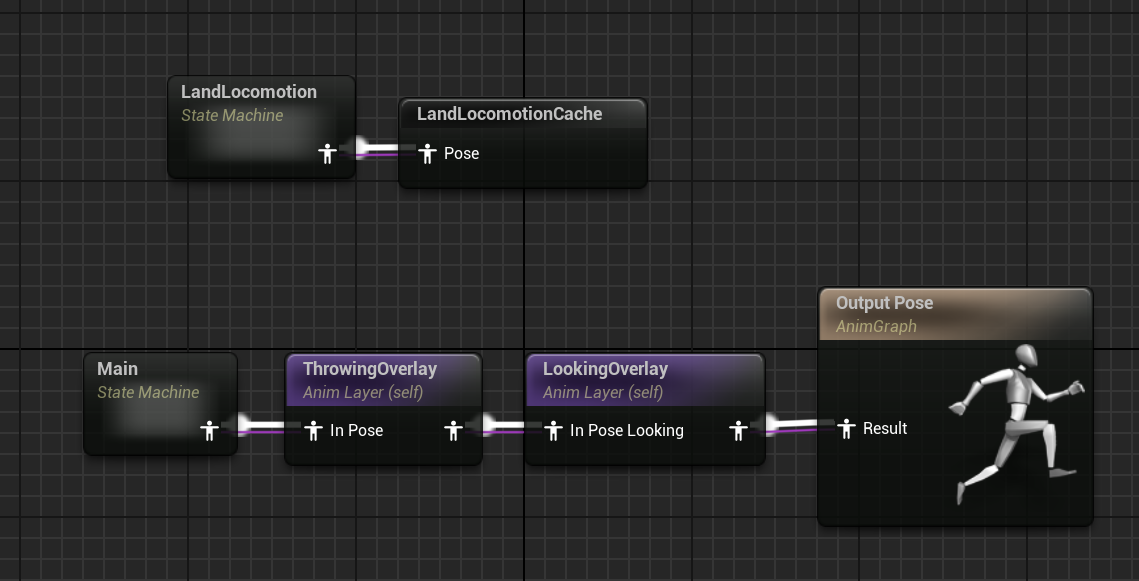
Two blend spaces (ground and walking/running) and 2 animation layers (throwing and looking) are used to control specifics animations of throwing and looking.
Blend spaces for locomotion

Throwing overlay
Looking overlay
You can see the final animation in action in the gameplay video already shown in the introduction.
IA
The IA system is based Unreal’s Behavior Trees and Blackboards, Environment Query System and Sensing Components.
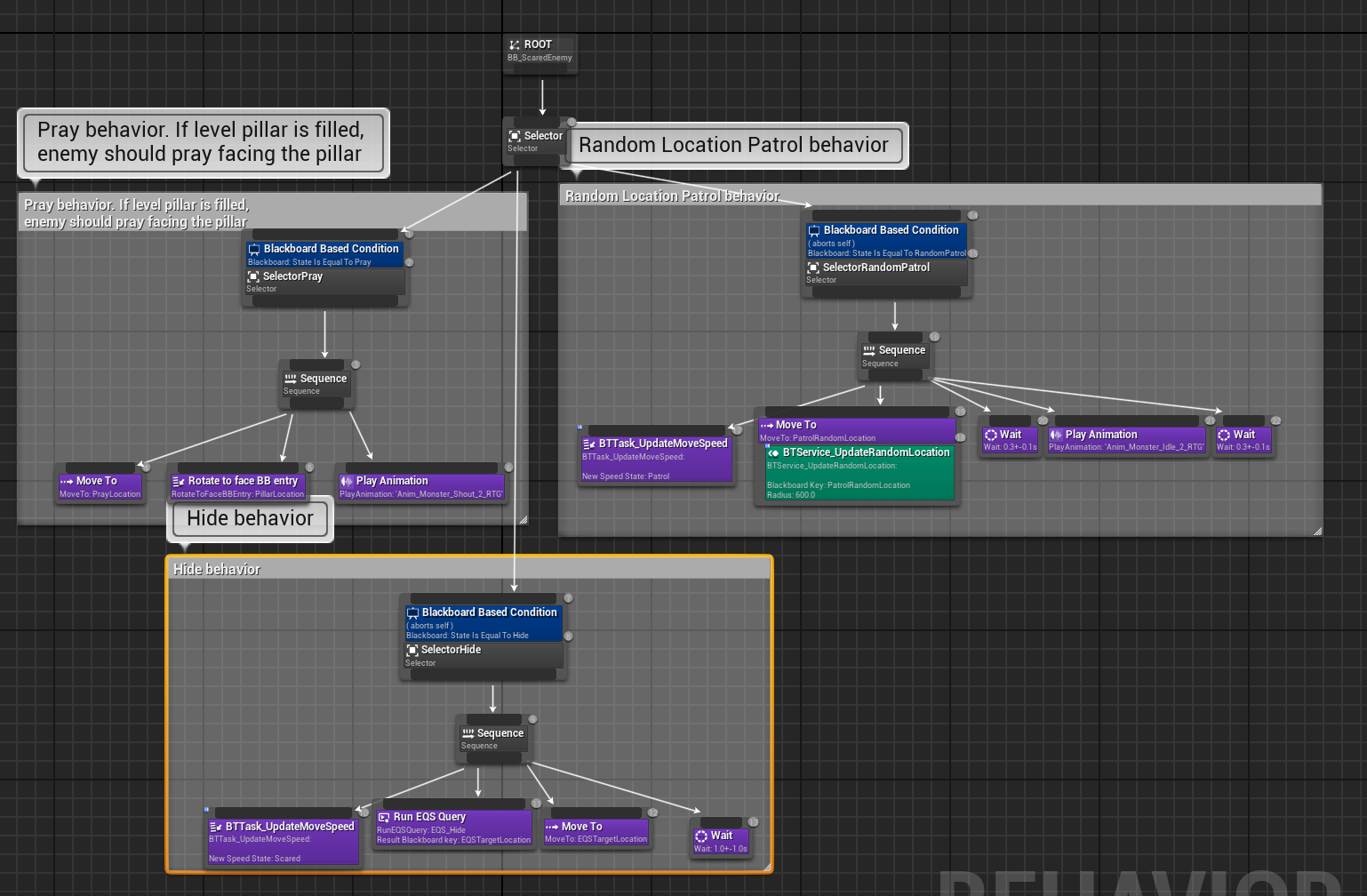
I proposed two differents IA, one for yellow aliens that are “scared” and run away from the player and one for red aliens that are “aggressive” and attack the player.
Both enemies use states to control their behavior. By default, both types of enemies are in a patrol state, where they move around randomly in the environment. When the player is close enough to the enemy, it will change to a specific state:
-
Red aliens will change to an attack state, where they will try to attack the player. If player is out of side during some time, the enemy will change again to patrol state after go to the last known position of the player.
-
Yellow aliens will change to a run away state, where they find the farthest point from the player through a environment and never stop doing that every few seconds.
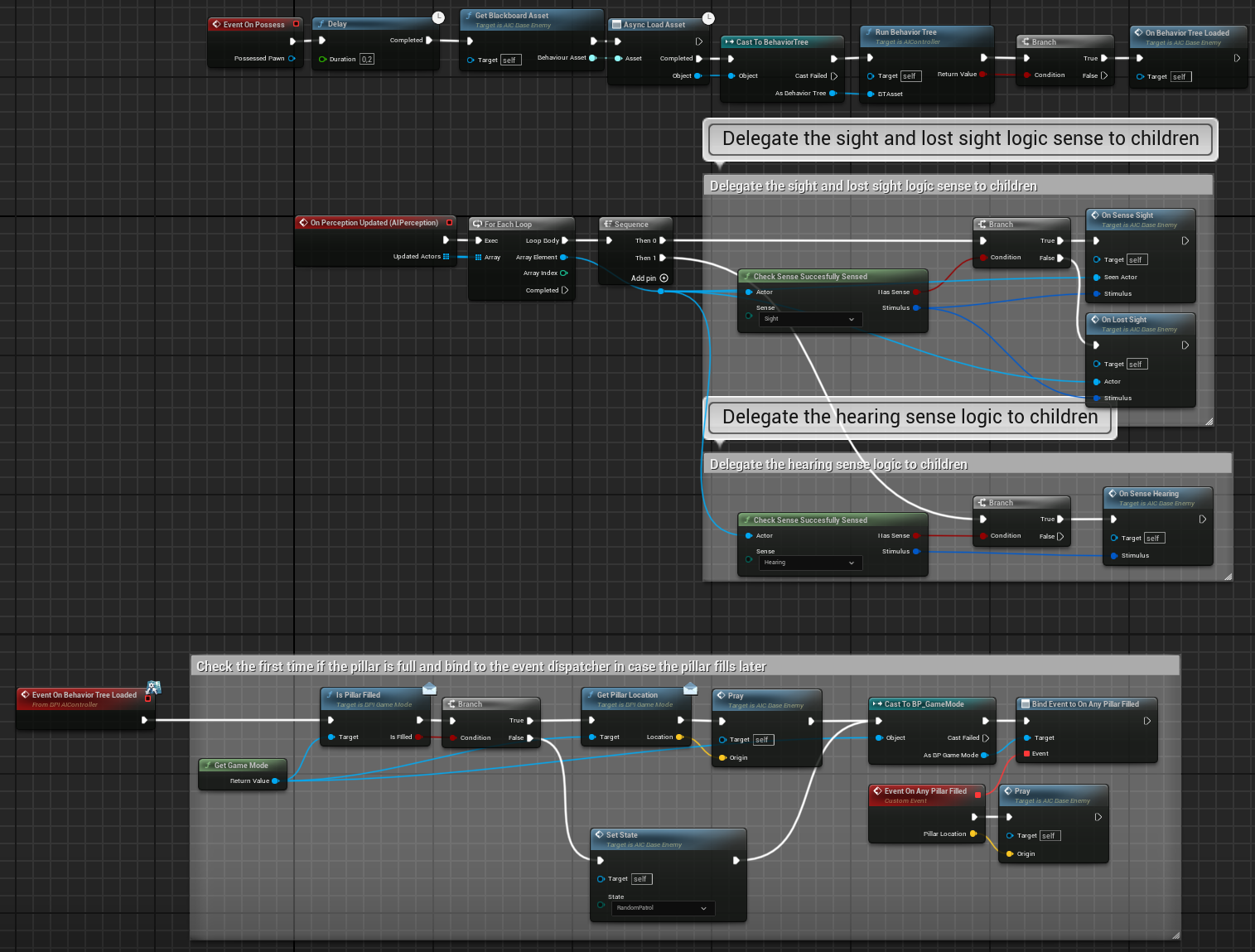
Both types of enemies have a common state that is triggered when the player fullfill the pillar. When this happens, all enemies in the level stop their current state and will change to “praying” state, will look for the position of the pillar, will move to it and start a praying animation.
Base enemy AI Controller
Yellow enemy AI Behavior Tree
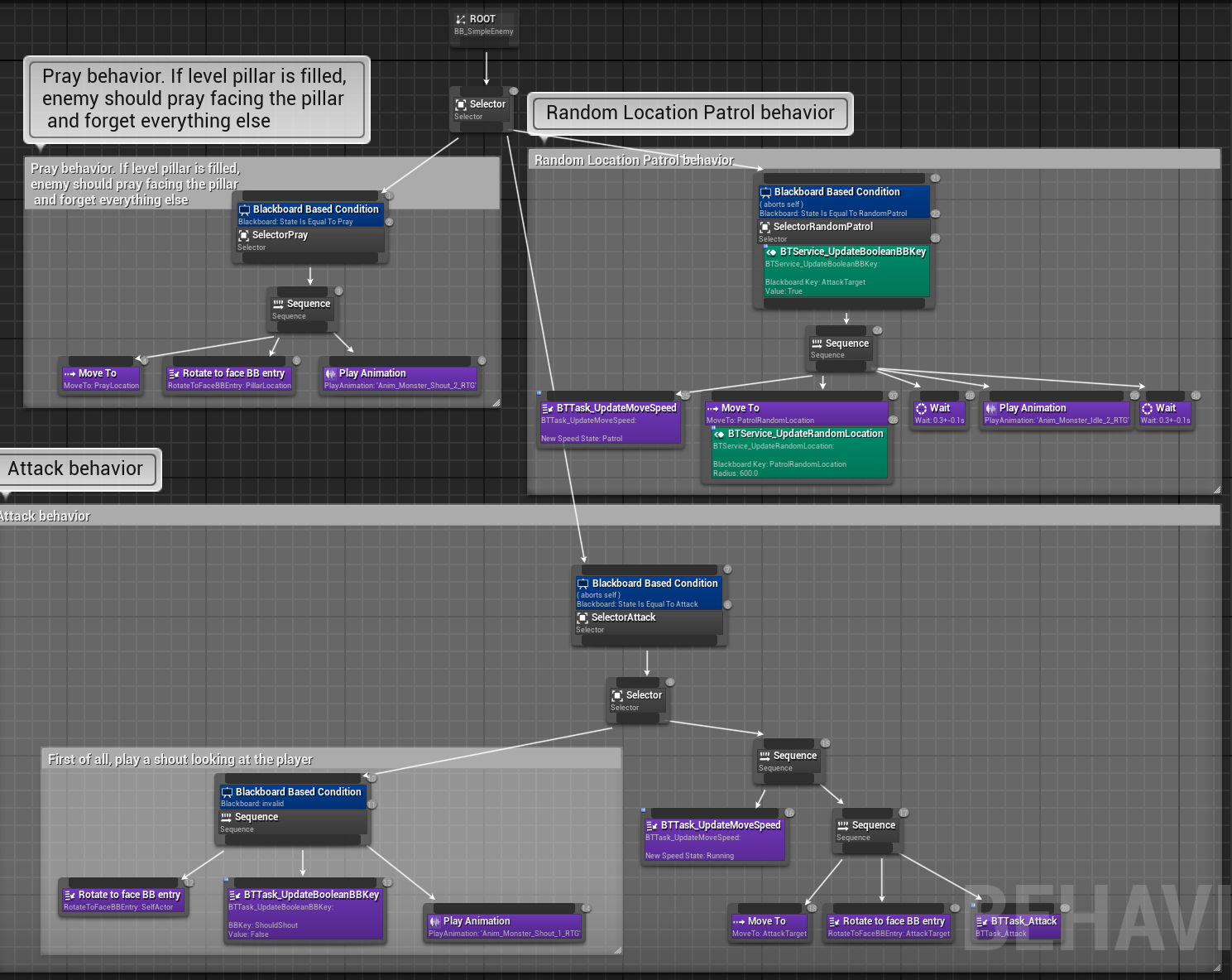
Red enemy AI Behavior Tree